Visual Acuity Chart
by Dr. Ryan Evans, OD
i.Calibrate
ii.Setup
iii.Test
iv.Result
Calibrate the screen
CALIBRATION CARD
0000 · 0000 · 0000
Resize until it matches a real credit card. Current: — px/mm
Align your face inside the oval, then capture.
Test setup
Read each line of letters aloud — letters get smaller until you can't read them. Each eye is tested separately.
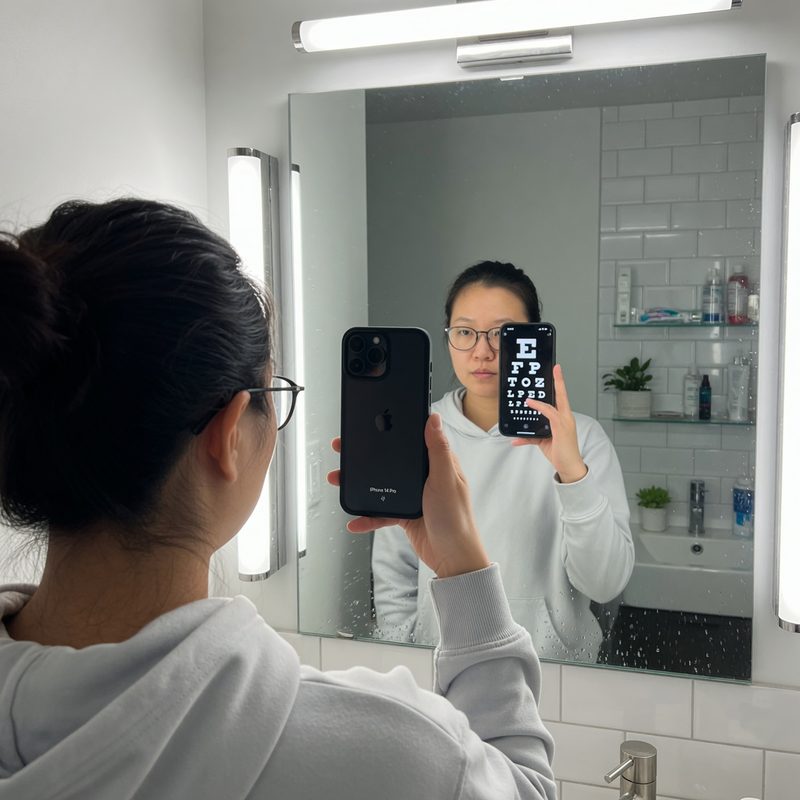
1Screen facing the mirror — read the reflection
2Stand 6 ft (2 m) away, back to wall
3Say the letters aloud, one eye covered
Near vision test. Hold your device at comfortable reading distance — about 40 cm (16 inches). When the test begins, keep it at that distance and cover one eye at a time.
⚠️ Nearsighted without glasses? Testing at arm's length won't detect myopia — your near focus compensates. Use Mirror Mode for a true distance check, or test corrected vs. uncorrected to estimate your prescription.
✓ Calibrated for
Right eye
Right eye (OD)
Cover your left eye gently with your palm. Don't press on the eyeball.
✓ Calibrated for
Speak
Type
Say the letter — or "can't see" to skip line
Your results
Visual acuity · best eye
—
20/20020/10020/4020/2020/10
Right eye (OD)
—
Left eye (OS)
—
Corrected vs. uncorrected comparison
Educational use only. This screening is not a substitute for a comprehensive eye examination. Refractive error, cataract, glaucoma, and retinal disease can produce 20/20 results yet still require treatment. If you notice any change in vision, schedule an exam with a licensed eye care provider.